HOA Dashboard
Read the main backoffice panel: financial KPIs, delinquency, pending approvals and alerts.
Last updated: Version: 1.0HOA OwnerHOA Admin
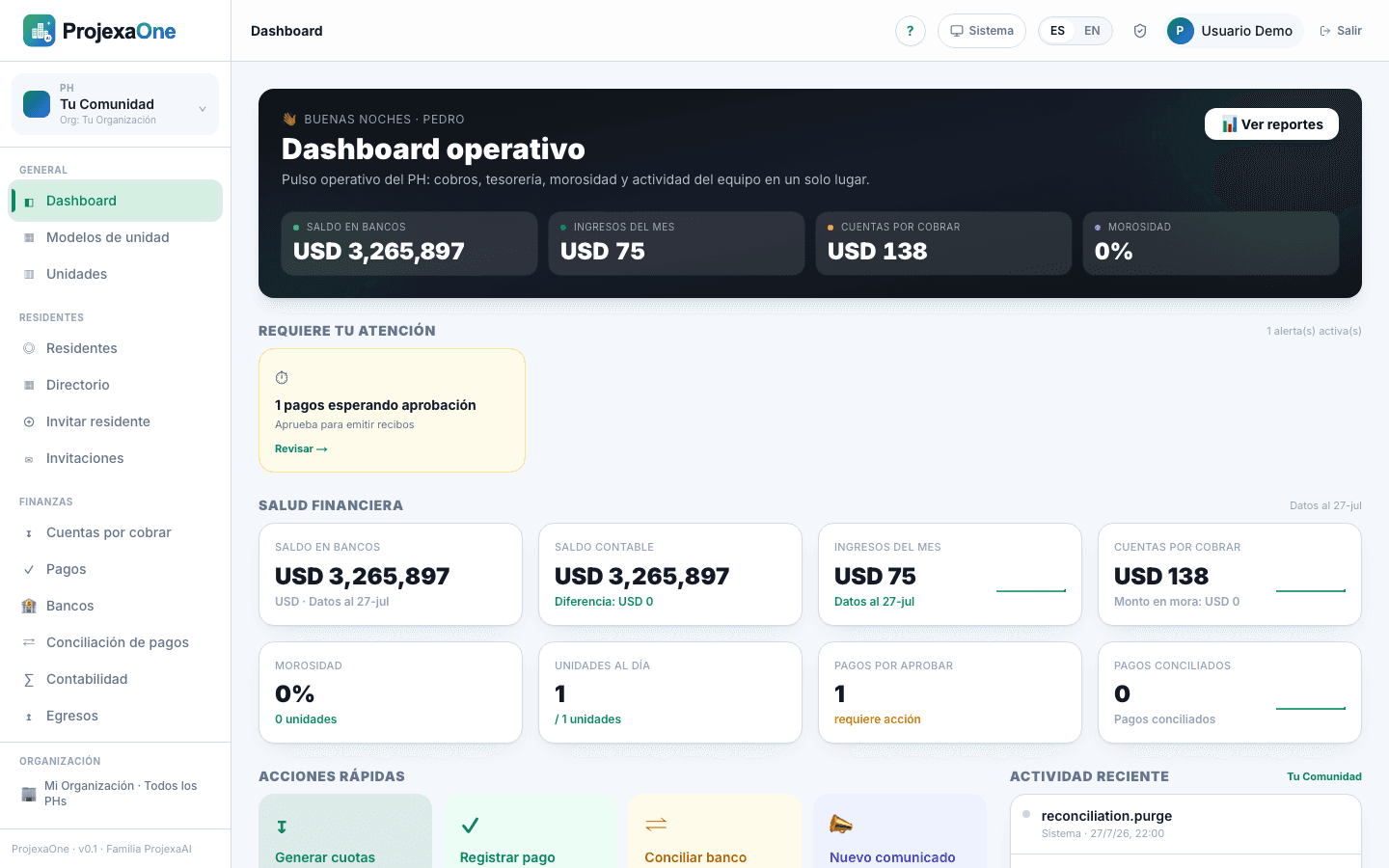
The Dashboard is the first screen you see when entering the backoffice of an HOA. It brings together the most important indicators for quick decision-making.
Key blocks
- Bank balance
- Sum of current balances across all HOA bank accounts.
- Ledger balance
- Balance recorded in accounting. Difference vs. bank indicates items to reconcile.
- Receivables
- Total outstanding and delinquency by age bucket.
- Payments to approve
- Payments reported by residents awaiting review.
- Pending reconciliations
- Bank movements not yet matched to payments.
- Open tickets
- Maintenance or operational cases in progress.
Best practices
- Review the Payments to approve block at least daily.
- If the gap between bank and ledger grows, go to Finance → Reconciliation.
- Use the period filters (current month, previous month, year) to compare.
Was this helpful?